← Back to BlogAgency Operations 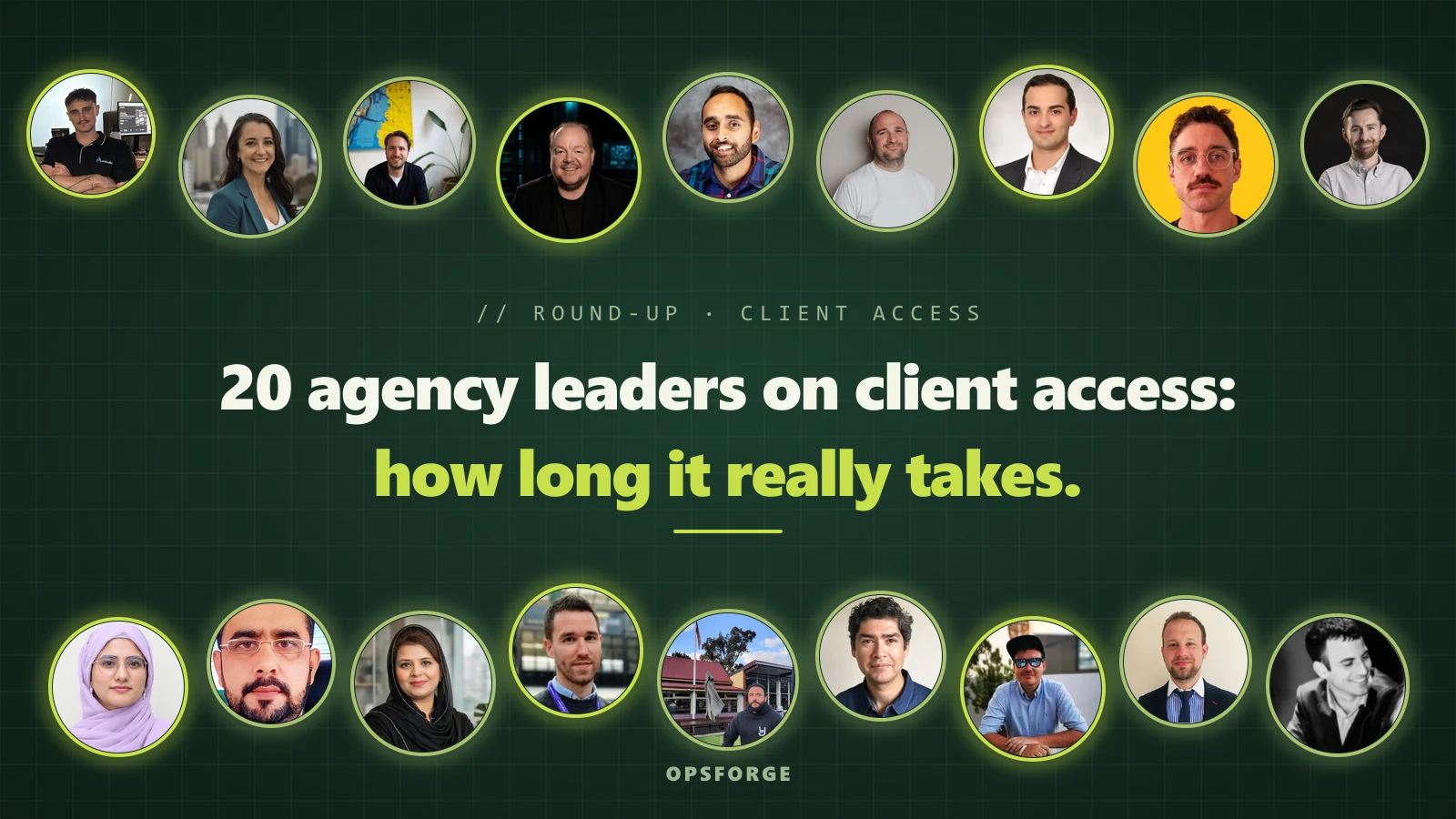
20 Agency Leaders on How Long It Takes to Get Access to a New Client's Accounts
20 SEO and PPC agency leaders on how long GA4, Search Console and Google Ads access takes, their worst delays, and 7 rules to fix it.
20 SEO and PPC agency leaders on how long GA4, Search Console and Google Ads access takes, their worst delays, and 7 rules to fix it.
A major Australian brand spent a year fighting Meta for control of its own page, because an intern had set it up. An agency running six figures a month in a client's Google Ads waited days for someone to accept a GA4 invite. Another agency is three months into waiting on accounts held by an employee who left on bad terms, and the client is still negotiating their release.
Every one of those delays started with a single login in the wrong hands. Most agencies only find out on day one of a contract, when the clock is already running.
At OpsForge we build tools for agency owners, including a one-click client access collector, so this problem sits close to home. We wanted to know how bad it gets for agencies that onboard new clients every month.
We put a call-out on SourceBottle and asked SEO and PPC agency owners three things. How many days from a signed contract to full access to a client's GA4, Search Console and Google Ads, what was your worst delay, and what do you do differently now. Twenty people answered, from Melbourne, Perth, Lahore, Hyderabad, Vancouver, Tel Aviv, the UK and Northern Ireland. One PR firm answered from the client's side, and we kept it because it explains a lot.
Thirteen gave a typical time to full access, and 11 of those put it at 5 working days or less. Fourteen shared a worst delay, ranging from 9 business days to 4 months, plus one Meta page that took a year and one enterprise client where access never arrived. Sixteen of the 20 blamed account ownership, and 16 now send a checklist before or on the day the contract is signed.
Below you will find how long access really takes, where the weeks go, and seven rules for getting into a new client's accounts in days. Every quote is in the contributor's own words, trimmed for length.
Three to five working days is normal. If you are past a week, someone's login is in the wrong place, and waiting longer will not fix it.
The fastest agencies in our set get in within two days, and all three of them do it the same way. They hand the client one set of instructions on the day of signing.

Harvie Williams, Co-founder, Enkindle Group, Perth
“Typical: one to two days. We built our own access tool, so a new client gets one link that lists exactly what we need, GA4, Search Console, Google Ads and the rest, with the steps for each. When the owner knows their way around their accounts, it's usually done within a day or two of signing. Longest: two weeks. The owner wasn't comfortable with tech, so every step took a few goes. At the very worst, we go to the client and set it up with them in person.”

Ali Niyafar, Digital Growth Strategist, Angarum Media, Vancouver
“On a good day, access comes through within 48 hours of signing. On a bad one I've waited around nine or ten business days, and the delay is almost never technical. It's human. The most common hold-up is simply that the client never clicks the invite. They mean to, it sits in an inbox, and the campaign we were hired to improve keeps spending while we wait for a permission button to be pressed.”

Zara Avila, Founder, Online Strategy Co
“For most new clients, we have full access to GA4, Search Console and Google Ads within three days of the contract being signed. The slowest so far took three weeks. The delays are rarely technical. Usually the business owner doesn't know which Google account set everything up, or the website is managed by another agency and we're waiting on them to share access.”
Jordan Minhinnick at Jordan James Media, Abraham Briceño at MaxBiz.co, Sidhi Beniwal at Ecometrix Solutions and John Williams at Four Point Digital all put their normal case between two and five days. Jordan added the condition most clients miss. It only works "if the client has an admin who is actually available that week."
Every long delay in our set came from one of three places. A former employee, a previous agency or freelancer, or an inbox nobody checks anymore.

Benjamin Seer, Co-founder, Blitz Growth, Melbourne
“We once waited days for a GA4 invite on an account where we were already running six figures a month in ads. Worst delay: About two months, on a fashion brand's TikTok account. The admin login sat with an email the team no longer used, so our agency invite couldn't be accepted. On another account, fixing the ownership required a brand-new email address and phone number that had never touched the platform.”

Steven Jaenke, Founder and CEO, Digimark
“At Digimark, getting access to a new client's accounts usually takes one to two weeks, although three to four weeks is common too. Our longest delay is three months, and we're still waiting. Someone who held the accounts left the client's business on bad terms, and the client is still negotiating their release.”

Newaz Chowdhury, Marketing Manager, Powerphrase
“Our longest delay was 14 days. The client's Search Console property had been verified years earlier by a former employee, and nobody currently at the company could grant us access. We had to set up a new verification method through the client's website host and wait for the data to rebuild, which meant losing historical data we needed for reporting.”
Newaz's story is the one to remember. Fourteen days is not the worst number here, but re-verifying cost the client years of search history.
The longest delays came from people, not platforms. Matthew Forrester, Head of SEO and PPC at Five by Five, waited four months because of non-compete laws. Yasmin at Yasmin Digital PR lost 21 days to an IT security review while an ex-agency held Search Console under a personal Gmail. Stuart Cooke at Levity Digital has watched a legacy agency go dark and force "a six-week-long identity verification process through Google support."
Two answers covered the opposite problem. The client knows who owns everything, and the process still stalls.

Gareth Hoyle, Founder and Managing Director, Marketing Signals
“The worst delay we've had is never getting access at all. It's rare, but it can happen. With some enterprise clients, the sign-off just never arrives, and you end up working from exported .csv reports. View-only access in GA4 and restricted access in Search Console are usually enough for client reporting needs. Moreover, the client's IT team is much more likely to approve a read-only request than full admin rights.”

Dennis Beytekin, Co-founder and CEO, Scale Oxford, UK
“I'd say around 40% of the time, it's straightforward. The client already has everything set up, knows who manages their accounts, and can grant us access within about a week. However, the remaining 60% can be surprisingly complicated, sometimes taking up to 2–3 weeks. Google Ads, GA4, and Search Console all have different interfaces and permission settings, and even relatively simple tasks like inviting a new user can involve several steps.”
If your clients are small businesses, Dennis's 60% is the number to plan around. Assume the owner has never added a user to Google Ads, and give them a person, not a help article.
Treat access as the first deliverable of the contract, with a deadline, a named owner on the client side and a consequence if it slips. Almost every agency in this set got there after one bad onboarding.
The agencies with the shortest delays start the request before the paperwork is finished.

Jordan Minhinnick, Founder, Jordan James Media
“Google Ads is the one that stalls, because half the time nobody at the client knows who the original agency or freelancer was that set up the account. What I do differently now is ask for access requests to go out on day one, before the contract is even fully countersigned, so the clock starts early instead of after everything else is sorted.”

Matthew Forrester, Head of SEO and PPC, Five by Five, Australia
“The longest delay we've had was four months due to non-compete laws. Common issues include previous agencies holding accounts, logins being lost, invitations going to the wrong account or access permission level, and a property being owned by someone who has since left the business. We ask clients to confirm the exact Google account they use, send clear step-by-step instructions, and oftentimes jump on Zooms or on the road to see clients to get access needed early.”
A vague "please share access" email is where most of the lost weeks start. The fix is a one-page list of every platform, the exact role, and the exact email address to invite.

Fiza Asif, Director, WeProms Digital, Lahore
“Before kick-off, send the client a one-page checklist naming each platform, the exact role you need (for example, Administrator on GA4, Full user on Search Console, and a link to your Google Ads manager account) and the email address to invite. Then confirm who owns each account on a short screen-share call, so ownership gaps are fixed on the spot. If the original owner can't be found, start the platform's recovery process on day one rather than waiting.”

Muhammad Safdar, CEO, Silver Crown Star Marketing
“Early on, we sent a vague 'please share access' email and lost weeks in back-and-forth with a client whose developer held every login. That one delay ate nearly a month of their first milestone before we ran a single audit. What changed: the day the contract is signed, we send a one-page checklist naming exact permission levels, GA4 Viewer, Search Console Full user, Google Ads Standard access, plus who at the client's end must approve each one.”
Zara Avila went a step further and built a free help hub of plain-English guides for adding a user to each platform. Her clients get the link the moment the contract is signed.
Email invites sit unread. A 15-minute screen-share gets it done while the client is paying attention.
Ali Niyafar said a short screen-share "turned a two-week scramble into a same-week handover." Benjamin Seer runs it as the first item at kickoff and sends the requests from his side during the call. Harvie Williams picks up the phone if the link is not finished after a couple of days.
The firmest agencies put it in writing. No access, no start date.

Yasmin, Founder, Yasmin Digital PR, Lahore, Pakistan
“Worst delay: 21 days. A B2B SaaS client's IT team was stuck in a 'security review' loop. The ex-SEO agency still owned the Search Console property under a personal Gmail, and no one had the password. We send a 1-minute Loom video + 1-page checklist on Day 0 showing exactly where to click to add access. And we have a strict policy: No access, no kickoff call. This cut our average delay from 7 days to 2 days.”

Stuart Cooke, Founder, Levity Digital, Northern Ireland
“Before a strategy kickoff or any work commences, we issue the client an access request document outlining our agency's manager ID and a video demonstrating how the client can grant access to their own dashboard. The start of our contract and deliverable timeline is tied to the account access verification, incentivizing the client's internal team to clear account access hurdles by day one.”
Caleb Wynne, Digital Marketing Agency Director, Wynne Digital, Melbourne
“I've got many horror stories including a major Australian page not having access to their own page, because of an intern setting it up. A year long battle with meta to get control. As business we've evolved over the years in that we won't onboard a client until we have had access to everything.”
If you take one rule from this section, take this one. When the clock starts at access, the delay becomes the client's problem to solve, and they solve it fast.
The client should own every account, on a shared business email, and the agency should hold user access through its own manager account. Not every contributor agreed.

Abraham Briceño, Founder, MaxBiz.co, Melbourne
“The worst delays don't come from the client. They come from the client's other suppliers: a former web developer, a hosting company or a previous agency that still holds the logins. What I changed is simple. Wherever I can, I move things under my own management, so we aren't waiting on a third party every time something needs doing.”
Abraham's fix removes the third party, and it works while he is the agency. The risk is that the next agency inherits the same problem with Abraham as the third party. Zara Avila solves it by starting new accounts under her manager account and handing ownership over properly if a client leaves. Benjamin Seer asks clients to keep admin ownership on a shared company email.

John Williams, Founder, Four Point Digital
“Then the invite goes to the wrong email and sits there. What I do differently now: before kick-off I send a one-page checklist with screenshots asking the client to log in and tell us which email owns each account. If they can't find it, we start the recovery process on day one rather than waiting. It's also why, when I launched my own business, Down Under Print, every account was set up on a business email from the start. Feels obvious, but it saves weeks.”
Each rule below comes from at least one agency in this set. Follow them in order and most onboardings finish inside a week.
Gareth Hoyle asks in the first conversation, so he knows early whether access is achievable at all. Steven Jaenke asks within the first couple of meetings. Ali Niyafar sends the checklist before the contract is signed. If a client cannot say who owns their Google Ads account before they sign, you have just learned something about the engagement.

Sidhi Beniwal, SEO Specialist, Ecometrix Solutions
“The longest delay we had was about 3 weeks. The previous agency had set up the Google Ads and analytics accounts in their own email so the client did not have owner access. The biggest lesson that we learned is to never assume the client knows which Google account owns the assets. Asking early, giving simple steps and following up properly saves a lot of time.”
Muhammad Safdar goes one level further and names the person at the client who must approve each request.
Contributors split on this. Sidhi asks for owner or admin access. Gareth Hoyle asks for view-only access in GA4 and restricted access in Search Console, and edit access only in Google Ads, because a client's IT team approves read-only requests faster. If your work in GA4 and Search Console is reporting, ask for read access and get it this week.
An invite email competes with everything else in the client's inbox. Newaz Chowdhury follows up on days 2 and 4 and offers a screen-share if the invite is still pending. Ali Niyafar, Benjamin Seer and Fiza Asif book the call up front.
If the owner is gone, start the platform's recovery process immediately.

Filip Silobod, Honest Marketing
“With us this is done pretty quickly. On average a few days. If you get Site access or Google analytics you can easily verify Google search console and get that access.”
Re-verifying has a cost. Newaz Chowdhury lost years of Search Console history doing it, so try recovery first if the old data matters to the client.

Eitan Soloducho, Managing Partner, Edamame PR & Strategy, Tel Aviv
“Fair warning, I'm not an SEO or PPC agency, so I can't give you an honest number of days for GA4, Search Console or Google Ads access, and I won't make one up. If I ran an agency, I'd make access part of signing, not a follow-up. Send a one-page checklist with the contract, list the exact roles you need, and get a name on the client side for each one. Treat it like the first deliverable. And put in writing that the results clock starts once you're in, so a delay lands on the right desk.”
Stuart Cooke, Yasmin and Muhammad Safdar already do this. Caleb Wynne goes furthest and will not onboard a client until he has access to everything.
Harvie Williams checks every account himself once access is granted. "A tool saying 'done' isn't the same as access that works. We've had a property show as shared when it didn't exist yet." Log in to each platform before you tell the client you are ready to start.
Here is every contributor side by side, sorted from fastest typical access to slowest. Most land between 2 and 5 working days, and the worst delays all trace back to who owns the login.
| Contributor | Typical time to full access | Worst delay | What they changed |
|---|---|---|---|
| Harvie Williams Enkindle Group |
1 to 2 days | 2 weeks | One link listing every account and the steps |
| Ali Niyafar Angarum Media |
2 days | 9 to 10 business days | Checklist before signing, 15-minute screen-share |
| Yasmin Yasmin Digital PR |
2 days | 21 days | Loom video, no kickoff without access |
| Sidhi Beniwal Ecometrix Solutions |
2 to 3 working days | About 3 weeks | Day-one checklist, admin access, follow-ups |
| Zara Avila Online Strategy Co |
3 days | 3 weeks | Free help hub, manager account link requests |
| Abraham Briceño MaxBiz.co |
About 3 days | Not given | Moves accounts under his own management |
| Jordan Minhinnick Jordan James Media |
2 to 5 business days | Not given | Requests sent before countersigning |
| Benjamin Seer Blitz Growth |
3 to 5 working days | About 2 months (TikTok) | Access first at kickoff, shared company email as owner |
| Newaz Chowdhury Powerphrase |
3 to 5 business days | 14 days | Ownership check day one, follow-ups days 2 and 4 |
| John Williams Four Point Digital |
3 to 5 working days | A couple of weeks | Checklist with screenshots, recovery on day one |
| Dennis Beytekin Scale Oxford |
About 5 days | Just over 3 weeks | Platform checklist and a screen-share |
| Stuart Cooke Levity Digital |
4 to 7 business days | About 6 weeks | Contract timeline starts at verified access |
| Steven Jaenke Digimark |
1 to 2 weeks | 3 months and counting | Asks in the first couple of meetings |
| Filip Silobod Honest Marketing |
A few days | None recalled | Verifies Search Console through site or GA access |
| Muhammad Safdar Silver Crown Star Marketing |
A few days | Nearly a month | Exact roles and approvers on signing day |
| Matthew Forrester Five by Five |
A few days | 4 months | Access checked in onboarding, in person if needed |
| Gareth Hoyle Marketing Signals |
Fast for mid-market, slow for enterprise | Never granted | Raises access in the first conversation, read-only requests |
| Caleb Wynne Wynne Digital |
Not given | About a year (Meta) | No onboarding without full access |
| Fiza Asif WeProms Digital |
Not given | Not given | One-page checklist and an ownership call |
| Eitan Soloducho Edamame PR & Strategy |
Not applicable (client-side view) | Not applicable | Start the results clock at access |
Before your next client signs, write one page listing every platform, the exact role you need and the email to invite, and add a line to your contract saying work starts when access is confirmed. Those two changes covered most of what the fastest agencies in this set do.
Thanks to all 20 contributors who shared their timelines, their worst onboardings and what they changed.
At OpsForge we built a one-click client access collector for this exact problem. Your client clicks one emailed link and you get read-only access to GA4, Search Console, Google Ads and YouTube the same day. Try it on your next client.
Shammika Munugoda is the founder of OpsForge, which builds AI, automation and custom software for digital agency owners. He has been shipping software since 1999.