22 Responses, 20+ Hours Saved: How I Automated a SourceBottle Roundup
I got 22 responses to a SourceBottle call-out. Handling them by hand meant about 24 hours of admin, so I built an n8n workflow in two hours and saved more than 20. Here is the maths and the build.
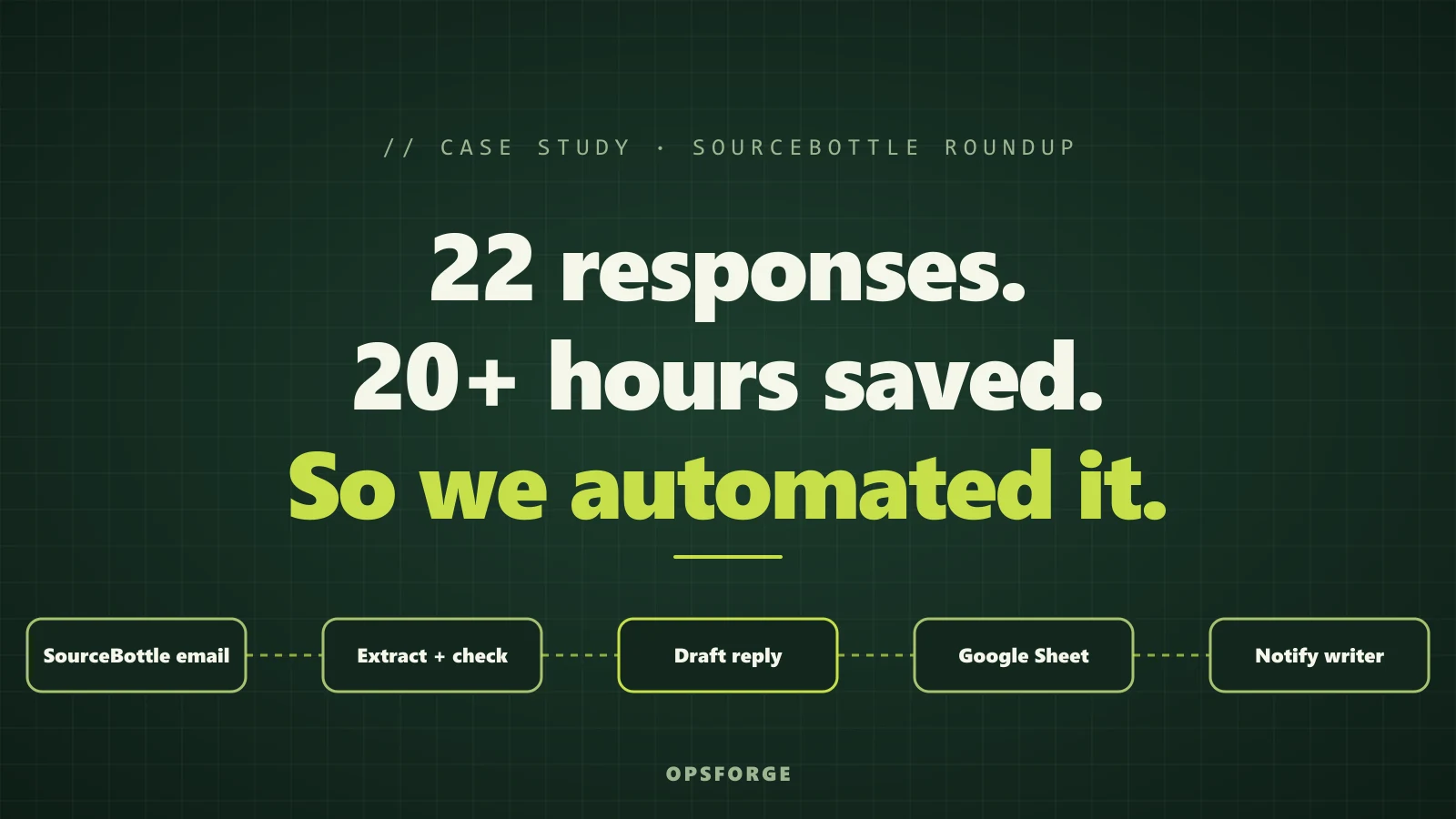
Twenty-two people replied to one SourceBottle call-out. By the fourth email I had worked out that handling all of them by hand would take about 24 hours of admin, for an article that takes two to four hours to write. So I stopped and built an automation. It took about two hours to build and saved more than 20. This is the case study: the task, the maths and what we built.
First, a note. SourceBottle is a brilliant platform. It connects experts with journalists and bloggers, and it did exactly what it promises: my call-out reached the right people and 22 of them answered. Nothing in this post is a complaint about it. The work I am describing is the admin that sits behind every roundup post, and that admin was never SourceBottle's job. It is ours, and it does not scale.
The task: a roundup built on real expert quotes
We wanted to publish a roundup of SEO and PPC agency leaders on how long it takes to get access to a new client's GA4, Search Console and Google Ads. You can read the finished piece here: 20 agency leaders on how long client account access takes. Roundups are worth the effort. You get real quotes from real operators, contributors who share the finished post, and an article other agencies link back to.
The plan looked simple. Put out a call-out, collect the answers, write the article, send every contributor a draft, make the final edits and publish.
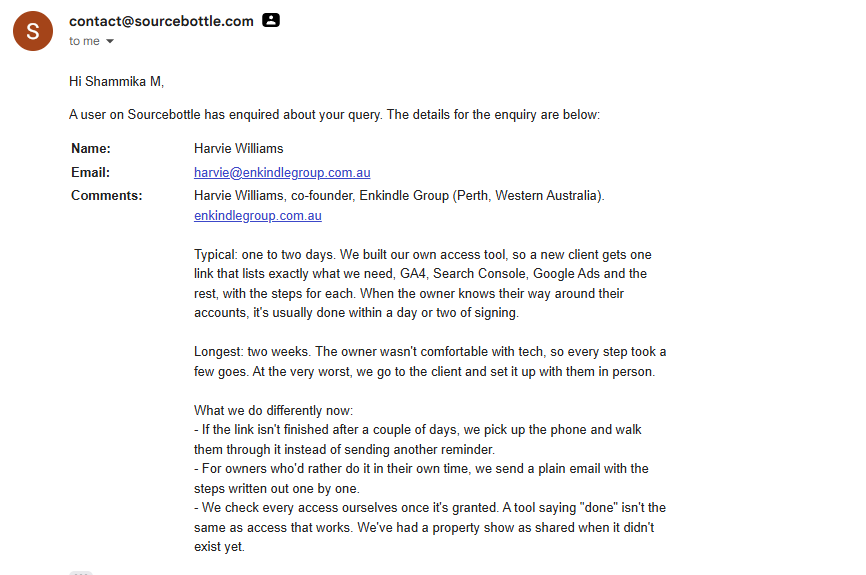
Twenty-two responses came back. Two were not a good fit, because those contributors were not from the industry I had asked for. That left 20 contributors, and 20 people to look after until the post went live.
The first few emails felt fine
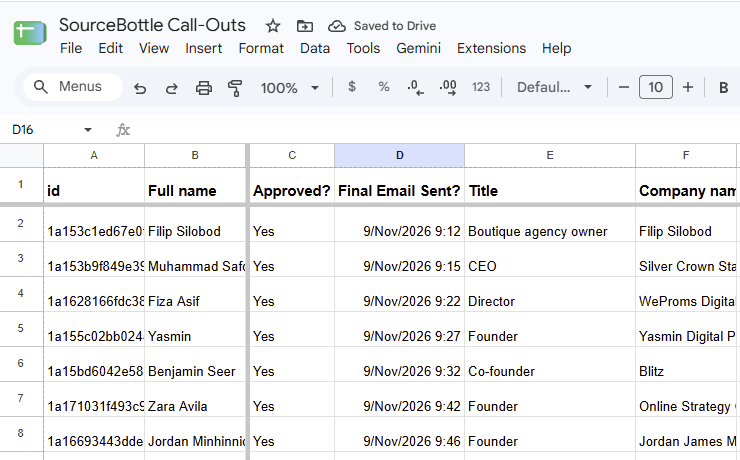
Every reply arrives as an email from SourceBottle. I would read it, pull out the name, email, company, comment, headshot and links, and paste everything into a Google Sheet. About fifteen minutes each. Easy.
Then the exceptions started. One contributor had no headshot attached. One sent two websites and a LinkedIn profile, so I had to ask which one to link to. One comment was a single line, too thin to use. One had no link at all, so I went looking for their SourceBottle expert profile, hoping it held a photo and some links. Every exception meant another email back, and another row to update when the answer came in.
After three or four of these I stopped and worked out how long each contributor was going to take, from their first reply to the final email. I had done the first few by hand, so everything in the next section is an estimate built from them, not time I actually spent.
The maths: 70 minutes per contributor
A contributor is not one email. It is six manual touchpoints spread over several weeks.
| Touchpoint | What happens | Estimated manual time |
|---|---|---|
| 1. Read the reply | Extract the details, check for gaps, copy the headshot to Google Drive, work out what to ask for | 15 min |
| 2. Thank-you email | Explain when the draft will arrive and when it will be ready to view | 10 min |
| 3. Read the reply to the thank-you | Collect the missing headshot, link or longer comment, update the sheet, copy the headshot | 15 min |
| 4. Send the draft article | Share the URL, set a cut-off date for changes, say when the post goes live | 10 min |
| 5. Read the reply to the draft | Apply edits to their comment, title, headshot or link, and update the sheet | 10 min |
| 6. Final email | Send the live post and log it | 10 min |
| Total per contributor | 70 min |
Seventy minutes does not sound like much. Now multiply it.
| Item | Calculation | Estimated time |
|---|---|---|
| Contributor admin | 20 contributors x 70 min | 23 h 20 min |
| Reading the 2 responses that were not a fit | 2 x 15 min | 30 min |
| Contributor admin total | 23 h 50 min | |
| Submitting the call-out | One-off | 15 min |
| Writing the article | One-off | 2 to 4 h |
| Final edits after the cut-off date | One-off | 1 h |
| Estimated total if done by hand | 27 to 29 h |
Even the quick version of the sum, 22 responses at 70 minutes each, comes to just over 25 and a half hours.
Writing the article would take two to four hours. Looking after the contributors by hand would take about 24.
That is the real cost of doing a roundup by hand. It is not the writing. Roughly 80 to 90 percent of the effort would go on reading emails, chasing missing assets and updating a spreadsheet. At that ratio most agencies will quietly decide a roundup is not worth doing, even though the finished post is.
Where the minutes actually go
None of the individual steps is hard. The time disappears because every response needs the same set of checks, and the answer to each check changes the next email:
- Is the comment relevant to the call-out?
- Is a headshot attached? If not, does the contributor have a SourceBottle expert profile, and does that profile have one?
- Did they send more than one link? If so, which one should we use?
- Did they send no link at all? If so, does their expert profile list one?
- Is the comment long enough to use, and has it stayed inside the word limit?
- Has the headshot been copied to the right Google Drive folder, and is the sheet up to date?
None of it is difficult. All of it is repetitive, and every email is slightly different. That is exactly the shape of work that is slow for a person and easy for a machine.
What we built in n8n
At OpsForge we build automation for agency owners, so once I had the numbers I knew I should practise what I preach. I built a workflow in n8n that handles the reading, checking and record-keeping, and leaves the judgement calls to a person.
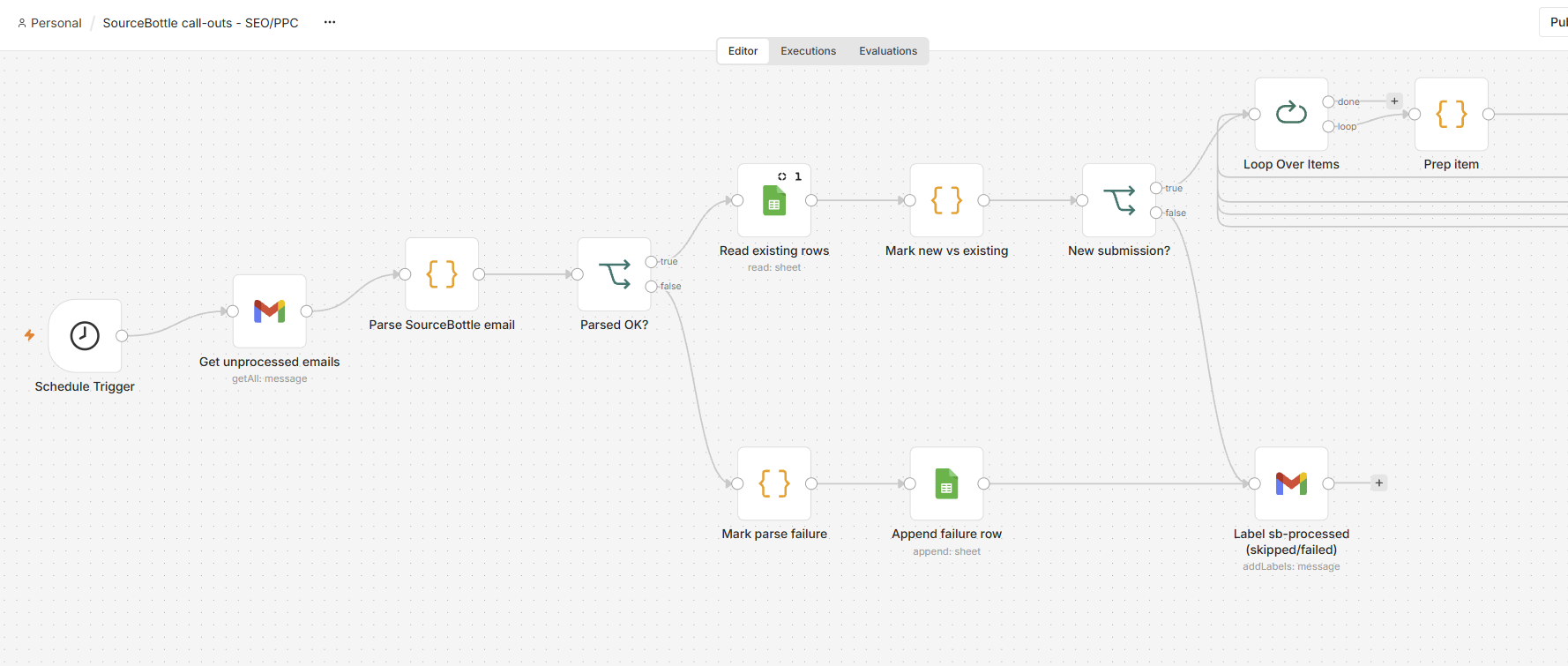
Step 1: read the response and extract the details
When a SourceBottle email arrives, the workflow pulls out the contributor's name, email address, company, comment, headshot and any links.
Step 2: run the checks
It then runs the checklist above for every contributor, the same way every time: is a headshot attached, is there an expert profile with a photo, is there more than one link or none, is the comment relevant, and is it within the word limit.
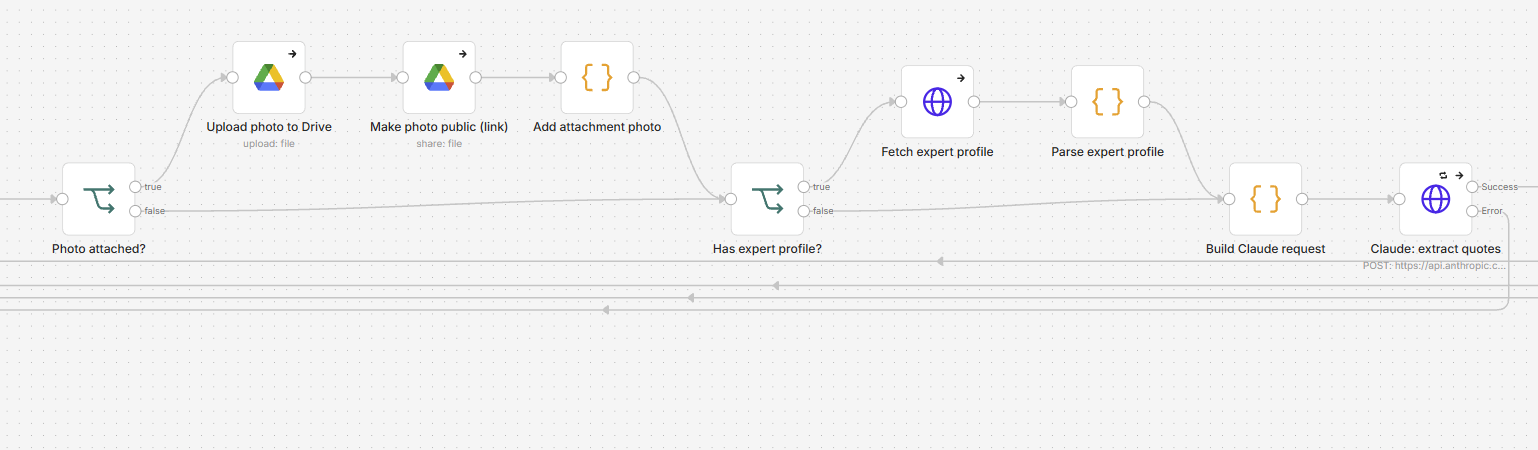
Step 3: draft the right reply
Based on the result of the checks, it drafts the reply email to send back to the contributor.
| What the checks found | The reply it drafts |
|---|---|
| No headshot and no expert profile | Ask for a headshot |
| No headshot, and the expert profile has none either | Ask for a headshot |
| No headshot, but the expert profile has one | No email needed, the profile photo is used |
| Comment too thin | Ask for a slightly longer version |
| More than one link, or no link at all | Confirm which URL to link back to |
Step 4: keep the sheet and the Drive folder current
Every detail goes into the Google Sheet automatically, and every headshot is copied to a Google Drive folder. When a contributor replies to the thank-you email or to the draft article, those replies are read and folded into the same record. The sheet always shows who is complete and who is still waiting on something.
Step 5: tell the writer when there is enough to start
Once at least 10 contributors have replied, the content writer is notified, so the article can be started without anyone checking the inbox to count.
What stays human
An automation should take the admin, not the relationship. These parts are still done by a person:
- Submitting the call-out. This is a one-off and it cannot be automated.
- Writing the article, which is two to four hours of real thinking.
- Making the final edits after the cut-off date.
- Being a good host. Contributors are giving you their time and their words for free, and they deserve a warm, personal tone.
The result
Building the whole workflow took about two hours, including testing, iterating and polishing it. Against the 23 h 50 min of contributor admin I had estimated, that is a saving of more than 20 hours on this one post, and the build is a one-off.
| Item | Time |
|---|---|
| Estimated contributor admin done by hand | 23 h 50 min |
| Building, testing and perfecting the n8n workflow (one-off) | about 2 h |
| Time saved on this post | more than 20 h |
The bigger win is the next one. I can now run another SourceBottle call-out with confidence. Before it starts, I put the predefined values into a CSV file: when the draft article goes out, where the Google Sheet lives, which Google Drive folder the headshots are copied to, the cut-off date for changes and the date the article goes live. The automation takes it from there, and I step in only when something genuinely needs a human. The two hours are already paid back, so every future roundup starts with that saving.
Five lessons for your next roundup
- Ask for everything in the call-out. The most common reason to email a contributor back was a missing headshot or link. Ask for the headshot, website, job title and word limit up front, so fewer replies arrive incomplete.
- Set the word limit before you launch. A limit stated in the call-out is far easier than trimming comments afterwards.
- Give the whole timeline in the first email. Tell contributors when the draft will arrive, the cut-off date for changes and the date the post goes live.
- Keep one source of truth. One sheet, every contributor, every asset and one status per person.
- Automate before the fourth email, not after the twentieth. The first few responses feel manageable. That is the best moment to do the maths.
Where to start
If you run an agency and any part of your week looks like this, reading an email, pulling out the same details, checking the same list and writing a slightly different reply, that work can almost certainly be automated. It is what we build for agency owners.
Want to see where your own hours go? Book a free Ops Audit and we will map it with you. And if you want to see what all this admin produced, read the finished roundup: 20 agency leaders on how long client account access takes.
Shammika Munugoda is the founder of OpsForge, which builds AI, automation and custom software for digital agency owners. He has been shipping software since 1999.