Gmail InboxHero
Finds the newsletters you no longer read, scores each sender, and gives you a one-click way to unsubscribe, all inside your browser.
What was going wrong
Most busy inboxes are full of newsletters subscribed to years ago and never cleaned up. Unsubscribing means opening each email, hunting for a tiny link and repeating it for every sender.
The tools that do this for you usually want access to your mail on their servers, which is a hard sell for anyone who cares about privacy.
What I built
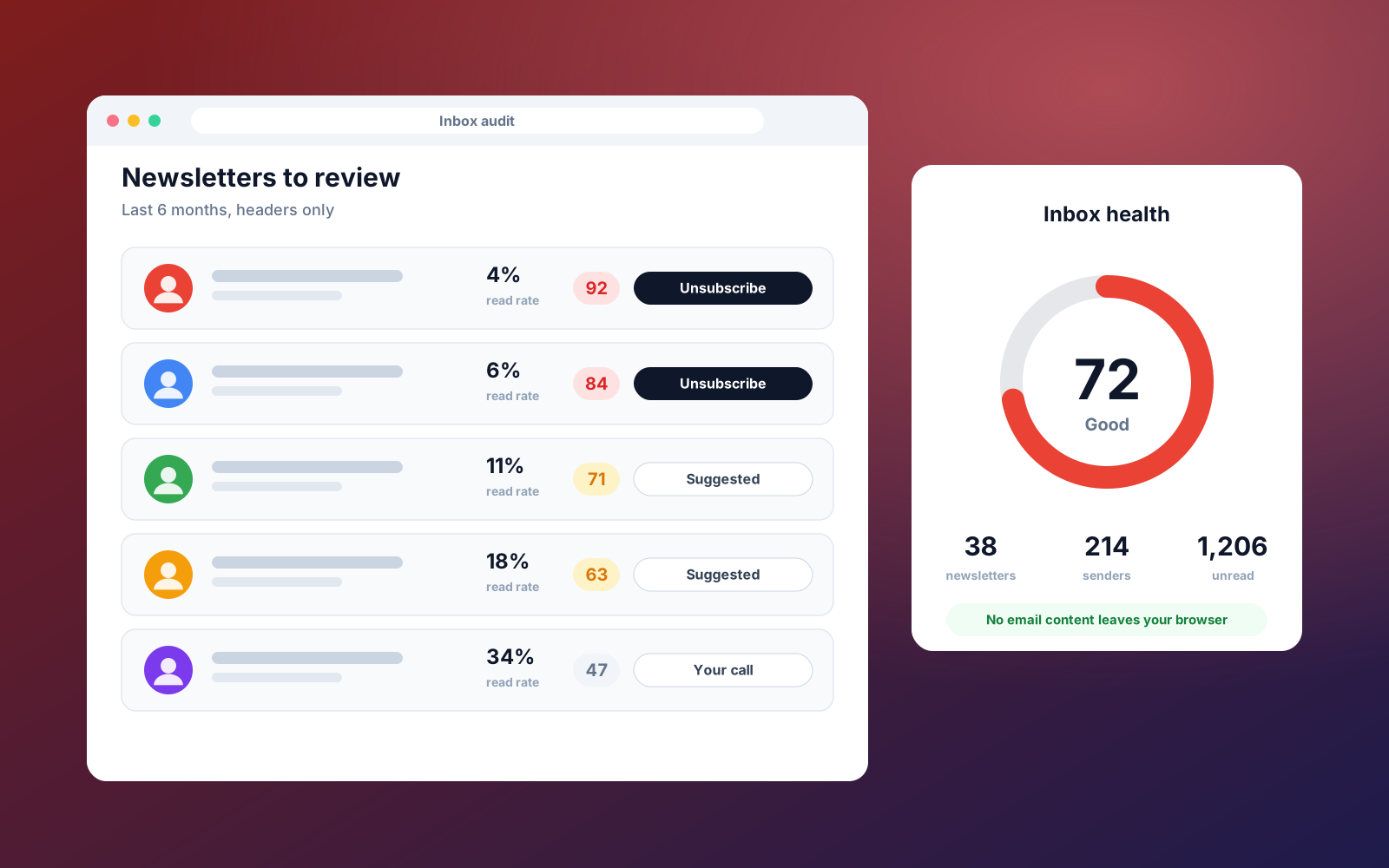
We built a Chrome extension that connects to Gmail and analyses six months of message headers. It detects newsletters, groups them by sender and scores each one from 0 to 100 on how strongly you should unsubscribe, based on read rate, time since you last opened one, volume and age.
It never fetches email bodies, and all processing happens in your browser with no server in the middle. A popup shows an inbox health score and the top senders to drop, and a full dashboard adds search, sorting, charts and bulk selection.
Unsubscribe uses the sender's own unsubscribe link, opened for you to confirm, so nothing is sent silently.
Step by step
- 01
Connect Gmail
Sign in with Google. Read-only access to message headers is enough.
- 02
Headers are analysed
Newsletters are detected and grouped by sender, locally in your browser.
- 03
Senders are scored
Each sender gets a score from read rate, recency, volume and age.
- 04
Review recommendations
See the senders most worth dropping, with a plain-language reason.
- 05
Unsubscribe in one click
Open the sender's unsubscribe link and confirm.
What it does
- Newsletter detection from standard email headers
- Per-sender read rate and unsubscribe score
- Inbox health score and quick-view popup
- Full dashboard with search, charts and bulk select
- One-click unsubscribe through the sender's own link
- No email bodies read and no data sent to any server
Built with
Other case studies
LinkedIn Connection Request Cleaner
Bulk withdraw pending sent invitations older than a set number of days, something LinkedIn has no native way to do.
Profile View Tracker Notes
Add a private note or tag to anyone who views your LinkedIn profile, turning a passive signal into a CRM action.
ScrollStop Lite: LinkedIn Feed Filter
A free suite of focused LinkedIn extensions, starting with a feed filter that hides the posts you do not want to see.
Instantly Account Organiser
Turns a flat list of sending accounts into a grouped, bulk-actionable table with campaign attribution and health alerts.
Want something like this for your agency?
Book a free Ops Audit and I will show you which manual processes are worth automating first.