ScrollStop Lite: LinkedIn Feed Filter
A free suite of focused LinkedIn extensions, starting with a feed filter that hides the posts you do not want to see.
What was going wrong
The LinkedIn feed is a firehose. Topics you do not care about, authors you have long tuned out and company pages you followed years ago all compete for the same scroll.
LinkedIn offers little control over what shows up, so the only option is to keep scrolling past it.
What I built
ScrollStop Lite is a suite of free Chrome extensions, each delivering one focused feature on top of a shared shell. The first is Feed Filter.
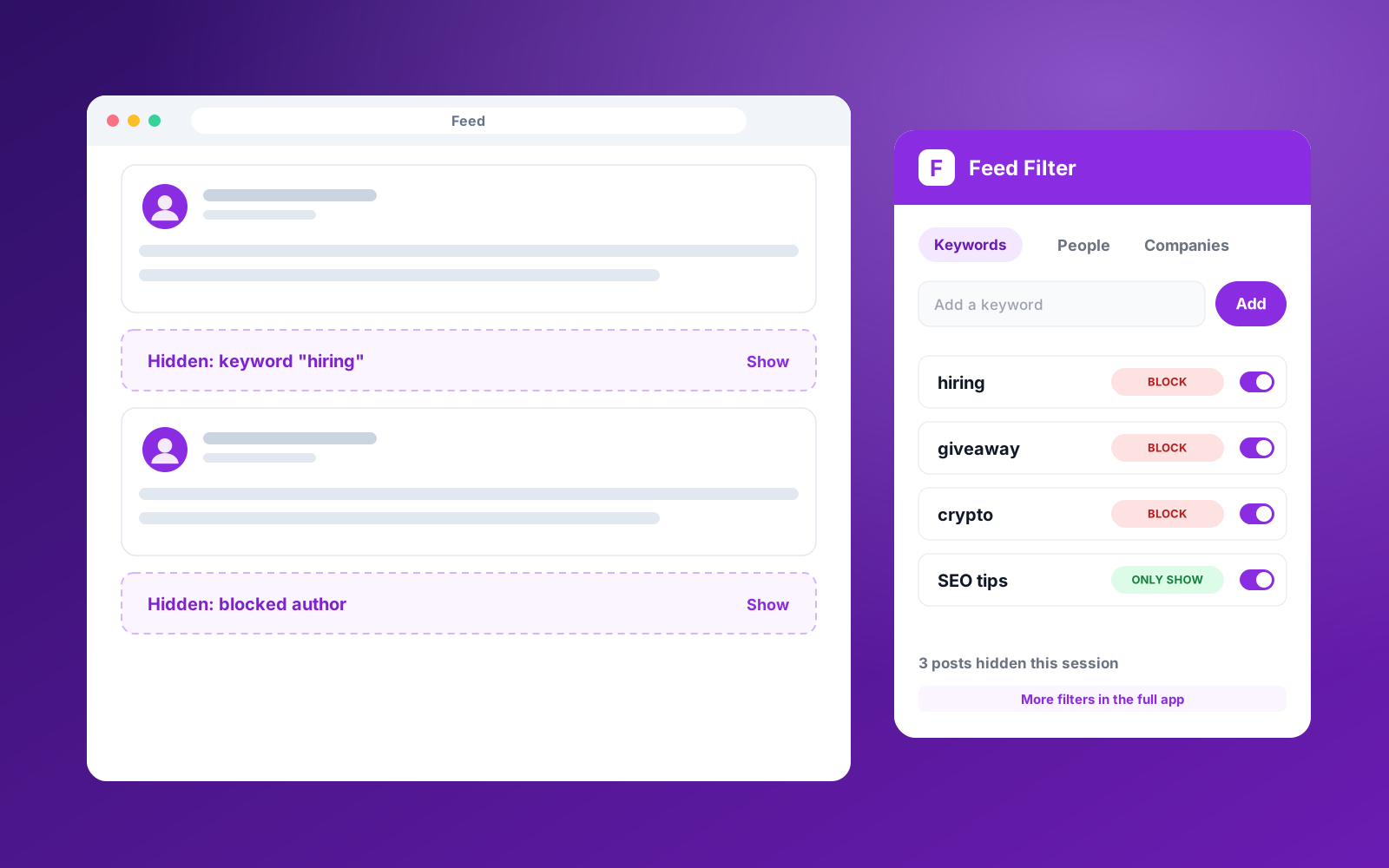
Feed Filter hides posts by keyword, by person and by company. Each rule can block a match, or work in reverse and only show posts that match. Hidden posts collapse into a small placeholder you can expand if you are curious.
Every extension in the suite shares one sign-in, so a new tool needs only its own feature logic. Free accounts get a starter allowance of filters, with a path to more in the full ScrollStop product.
Step by step
- 01
Connect once
Paste your ScrollStop key. Every extension in the suite reuses it.
- 02
Add filters
Choose keywords, people or companies, and whether to block or only show them.
- 03
Browse your feed
Matching posts are hidden as you scroll, with a placeholder you can reveal.
- 04
Adjust on the fly
Block an author or keyword straight from the right-click menu.
What it does
- Block or only-show by keyword, person and company
- Collapsed placeholders for hidden posts
- Right-click to block an author or keyword
- Shared sign-in across the whole extension suite
- Free tier with a clear upgrade path
Built with
Other case studies
LinkedIn Connection Request Cleaner
Bulk withdraw pending sent invitations older than a set number of days, something LinkedIn has no native way to do.
Profile View Tracker Notes
Add a private note or tag to anyone who views your LinkedIn profile, turning a passive signal into a CRM action.
Instantly Account Organiser
Turns a flat list of sending accounts into a grouped, bulk-actionable table with campaign attribution and health alerts.
Gmail InboxHero
Finds the newsletters you no longer read, scores each sender, and gives you a one-click way to unsubscribe, all inside your browser.
Want something like this for your agency?
Book a free Ops Audit and I will show you which manual processes are worth automating first.